Local anonymiser for law firms
Use AI with your legal documents without exposing your clients’ data. The application replaces names, ID numbers, addresses and bank accounts with labels, you review each item and, when you are done, it puts the real data back into the AI’s answer. Everything happens on your computer.
“Local anonymiser for law firms” is a working name. The app currently works with documents in Spanish.
Who it is for
For law firms that want to use AI carefully
Lawyers and firms that want to rely on a general-purpose AI to summarise, review or draft, but cannot paste their clients’ personal data into it.
The exported text is pseudonymised, not anonymous: the labels can be reversed within the firm, and the final decision on what to hide always rests with the lawyer.
What it can do today
Four steps: upload, review, export and restore
01
Upload
PDF documents with text, Word or plain text, organised by case file.
02
Review
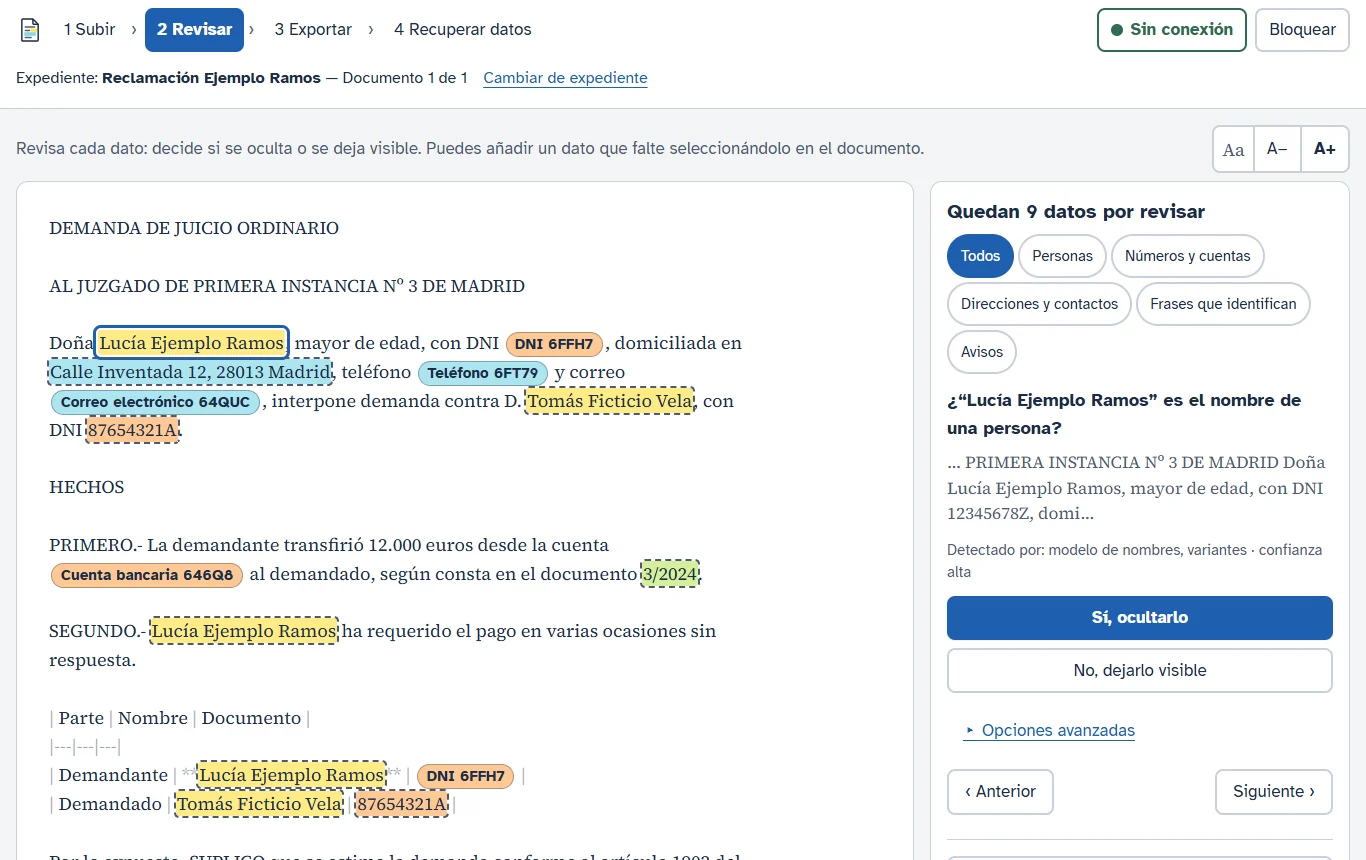
The application flags people, ID numbers, addresses, phone numbers, emails, bank accounts and identifying phrases. You decide item by item.
03
Export
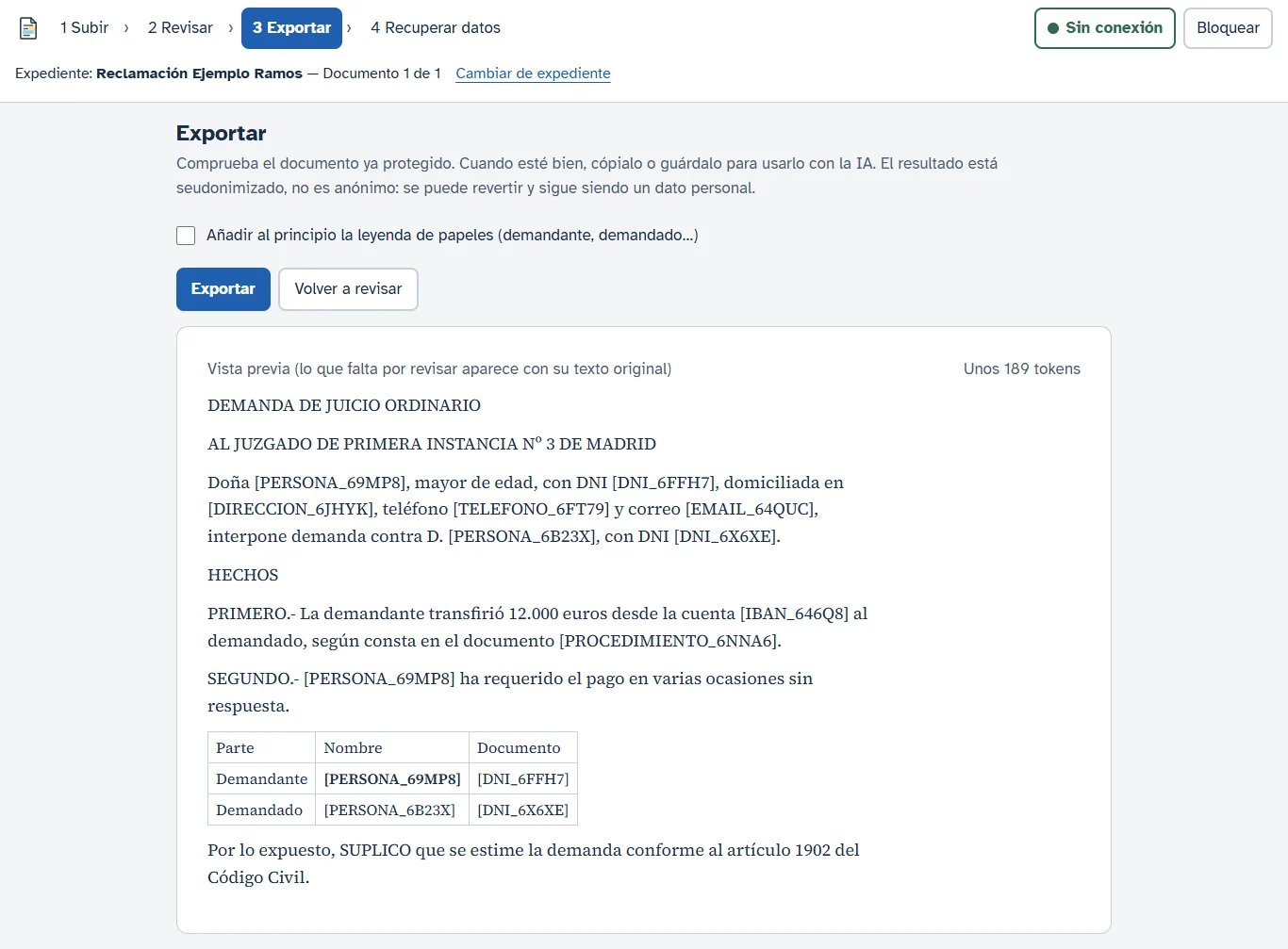
Each item is replaced by a unique label, consistent across the whole case file, ready to paste into the AI.
04
Restore data
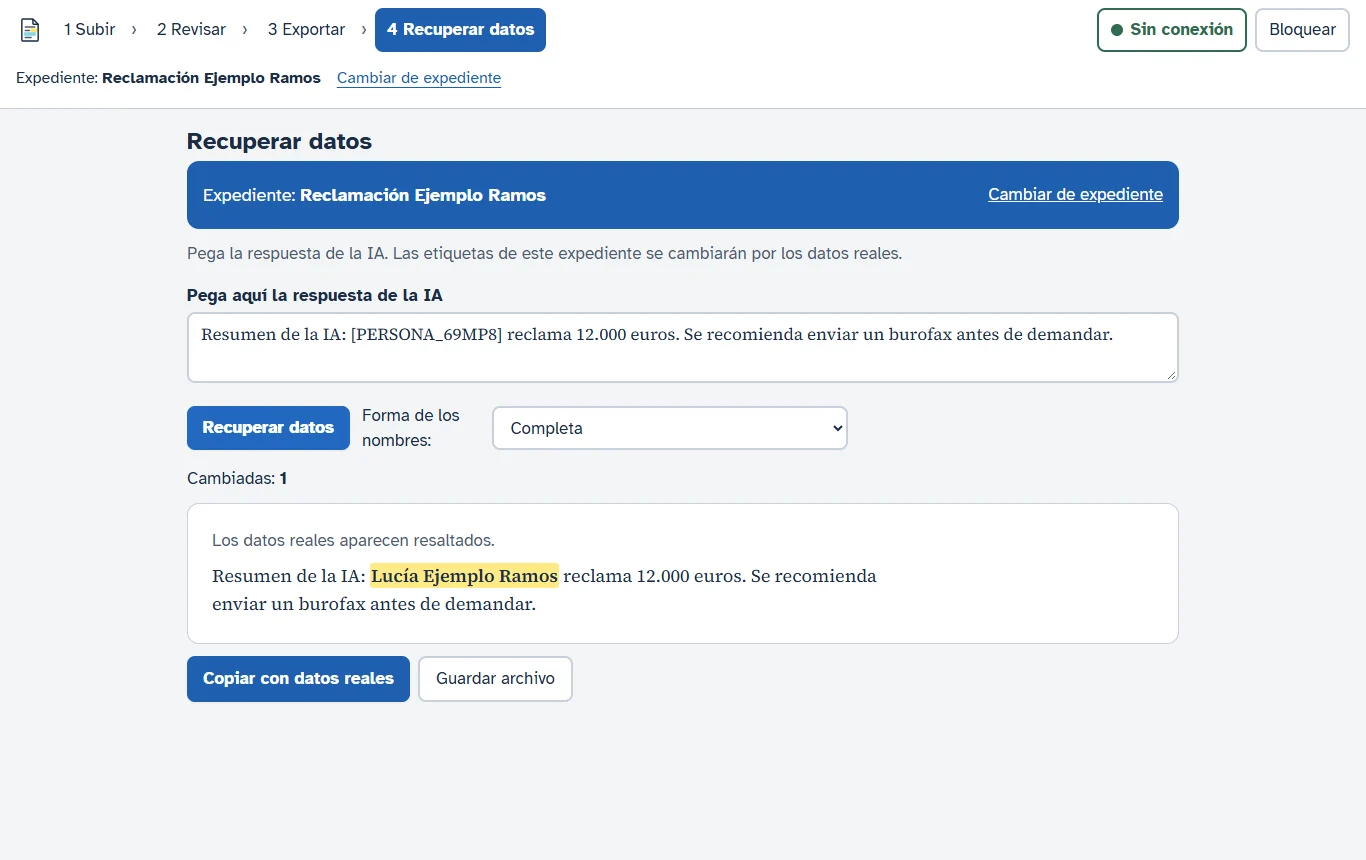
Paste the AI’s answer and the labels turn back into the real names and data.
Security
Designed so nothing leaves the computer
- Works offline: detection runs on models installed on the computer itself.
- Encrypted data with a password and a recovery key.
- Lock the application with one click when you leave your desk.
- Review before export: anything doubtful is flagged for you to decide.
What you can see
Screenshots of the development version
Real screenshots taken with a made-up claim.
There is no public version to download yet. If your firm would like to see it working, write to us.
Does your firm want to use AI safely?
Tell us how you work and we will show you the anonymiser in action.